
Configuration
Every setting (valve) of the three functions, with its type, default and what it does. Generated from the code by python3 build.py --all; do not edit by hand.
Applies to: Pipe, Action, Filter
Set them in Open WebUI: Admin Panel > Functions > the function > Valves (the gear). The installer rewrites the connection valves on every run (which ones) and keeps the rest. Changes apply on the next message, with no restart.
Pipe
File: openclaw_pipe.py.
GATEWAY_URL
Type: str. Default: localhost:18789.
Required. Your OpenClaw Gateway as host:port, for example 192.168.1.10:18789. Use a wss:// prefix for a Gateway behind a TLS proxy, for example wss://gateway.example.ts.net (port 443 unless you give one). A ws:// or http:// prefix is accepted and means the same as none. It must be reachable from the Open WebUI backend, which is not necessarily the same network as your browser.
GATEWAY_TOKEN
Type: str. Default: empty.
Required. The Gateway API token: the value of gateway.auth.token in your OpenClaw config. Ask whoever runs the Gateway if you don't manage it yourself.
DEVICE_IDENTITY
Type: str. Default: empty.
(Advanced -- normally leave empty.) Ed25519 device identity JSON. The pipe generates one on first connect and persists it in STATE_DIR. Set this only to import an already-approved identity, or to make the companion Status Action reuse this exact device instead of raising a second pairing request.
STATE_DIR
Type: str. Default: /data/openclaw-bridge.
Directory inside the Open WebUI container where the device identity and Gateway token are stored. Must survive restarts: if it is not writable the pipe silently falls back to /tmp, and you will be asked to approve the device again after every restart.
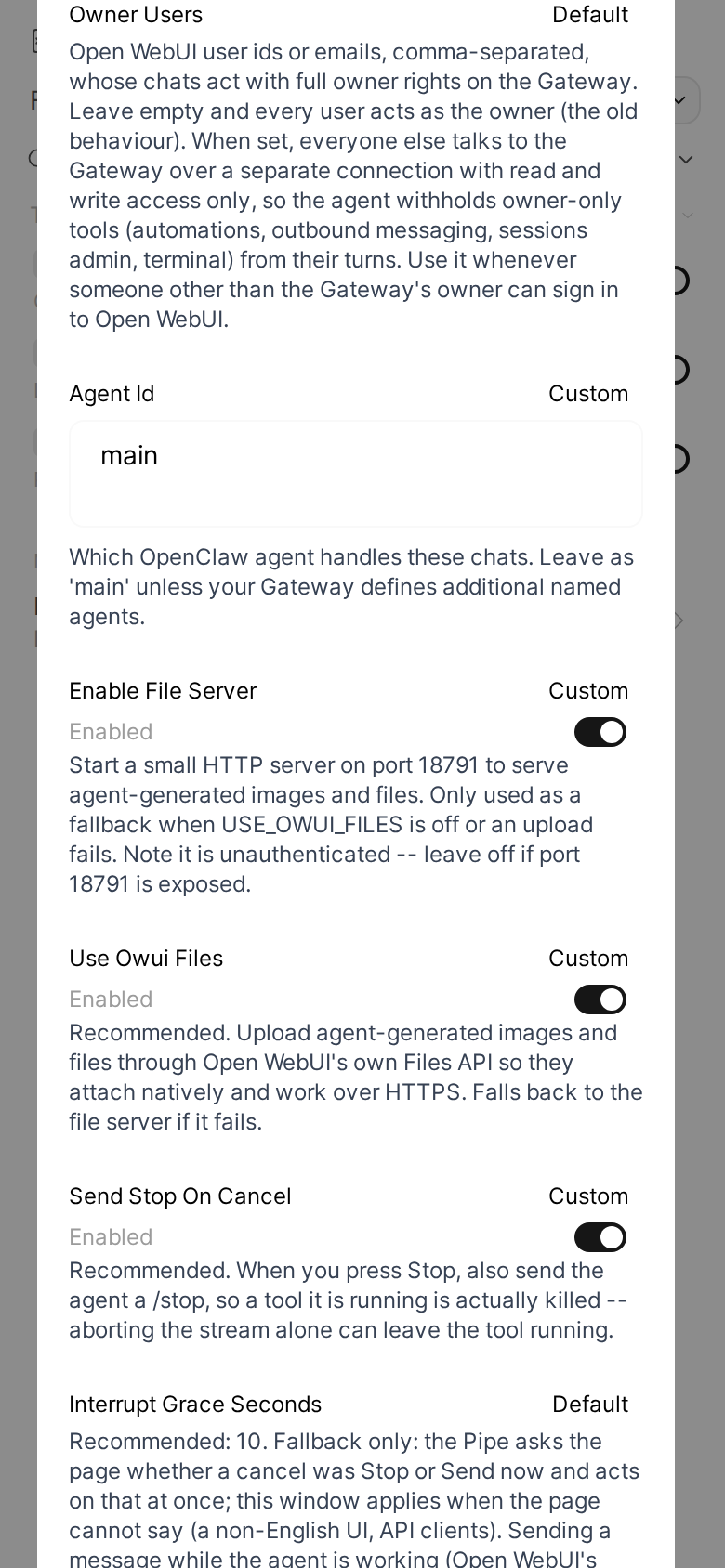
OWNER_USERS
Type: str. Default: empty.
Open WebUI user ids or emails, comma-separated, whose chats act with full owner rights on the Gateway. Leave empty and every user acts as the owner (the old behaviour). When set, everyone else talks to the Gateway over a separate connection with read and write access only, so their turns lose the owner-only tools (such as automations and messages on your other channels). This is not a sandbox: they keep every tool your OpenClaw tool policy allows non-owner turns, which can include running commands and reading files. Use it whenever someone other than the Gateway's owner can sign in to Open WebUI.
AGENT_ID
Type: str. Default: main.
Which OpenClaw agent handles these chats. Leave as 'main' unless your Gateway defines additional named agents.
ENABLE_FILE_SERVER
Type: bool. Default: True.
Start a small HTTP server on port 18791 to serve agent-generated images and files. Only used as a fallback when USE_OWUI_FILES is off or an upload fails. Note it is unauthenticated -- leave off if port 18791 is exposed.
USE_OWUI_FILES
Type: bool. Default: True.
Recommended. Upload agent-generated images and files through Open WebUI's own Files API so they attach natively and work over HTTPS. Falls back to the file server if it fails.
SEND_STOP_ON_CANCEL
Type: bool. Default: True.
Recommended. When you press Stop, also send the agent a /stop, so a tool it is running is actually killed -- aborting the stream alone can leave the tool running.
INTERRUPT_GRACE_SECONDS
Type: float. Default: 10.0.
Recommended: 10. Fallback only: the Pipe asks the page whether a cancel was Stop or Send now and acts on that at once; this window applies when the page cannot say (a non-English UI, API clients). Sending a message while the agent is working (Open WebUI's Send now, or sending with the message queue off) stops the current response. With this set, the agent's run is kept alive instead: the new reply first shows the rest of the running turn, then answers your message. A plain Stop with no new message still stops the run after this many seconds. 0 stops immediately, as before.
AUTO_SEND_WHILE_RUNNING
Type: bool. Default: True.
Recommended. A message you send while the agent is working goes into the chat at once, instead of waiting in Open WebUI's queue above the composer for you to click Send now. The running reply is not stopped: the agent finishes its current work, then answers your message. Off: Open WebUI queues it, and it is sent when the reply ends or when you click Send now.
OWUI_BASE_URL
Type: str. Default: http://127.0.0.1:8080.
Open WebUI's own base URL, resolved by the Open WebUI backend itself and not by your browser. The default is correct for a standard single-container install; change it only if Open WebUI cannot reach itself at 127.0.0.1:8080.
OWUI_API_KEY
Type: str. Default: empty.
(Optional.) Only needed if media uploads fail with an auth error -- the pipe normally reuses your own login token.
FILE_SERVER_BASE_URL
Type: str. Default: http://localhost:18791.
Legacy fallback only: base URL of the built-in media file server, used when USE_OWUI_FILES is off or an upload fails. The browser resolves this URL, not OWUI, so the default only works when you browse OWUI from the same host. Point it at an address your browser can reach if you depend on this fallback.
DEFAULT_MODEL
Type: str. Default: empty.
Model used when you pick 'OpenClaw · Default'. Leave empty to use the agent's own configured model. The dropdown lists models discovered from your Gateway; before the first successful connection it shows a built-in example list that may not match your Gateway.
MAX_MODELS
Type: int. Default: 30.
Maximum number of models to show in the selector.
AUTO_TITLE
Type: bool. Default: True.
Auto-generate a chat title after the first exchange (like native OWUI). Uses a fast model; best-effort, non-blocking. Never replaces a title the user chose.
COMPOSER_STATUS_BUTTON
Type: bool. Default: True.
Add an OpenClaw 'Claw' button to the composer row of OpenClaw chats (it opens the same dialog as the Status Action's message button, so that Action must be installed). Installed into the page at the start of each turn and when a tab opens an OpenClaw chat. Turn off to stop delivering it; an already open tab keeps it until reload.
CHANNEL_THREAD_DEBOUNCE_S
Type: float. Default: 15.
Channels: after a new message in a thread the agent follows, wait this many seconds for more before deciding whether to answer, so a burst of messages gets one reply. 0: decide at once.
CHANNEL_THREAD_IDLE_HOURS
Type: float. Default: 24.
Channels: stop following a thread after this many hours without a message. A new mention follows it again.
CHANNEL_CONTEXT_LIMIT
Type: int. Default: 50.
Channels: at most this many messages go to the agent with one turn (the newest ones); the turn says how many were left out.
LIVE_VIEW_URL
Type: str. Default: empty.
(Optional.) Show the agent's browser live inside a reply: when a reply first uses a browser tool, this URL is added to it as an embed. {chat_id} and {message_id} are replaced with the chat's and the reply's ids. It needs a service that serves such a page for the agent's browser. Empty: off.
LIVE_VIEW_TOOLS
Type: str. Default: ^browser\b|^(?:\S*openclaw\S*|\$\{?\w+\}?)\s+browser\s+(?:--?\S+\s+)*(?:open|navigate|goto|click|type|press|fill|hover|scroll|screenshot|snapshot|evaluate|tabs?|focus|close|start)\b(?!.*\s--help\b)|^(?:\S*/)?(?:chromium(?:-browser)?|google-chrome(?:-stable)?|chrome)(?=\s|$)(?!.*\s--(?:version|help)\b)|^(?:(?:npx|bunx|pnpm\s+(?:dlx|exec)|bun\s+x)\s+(?:-\S+\s+)*)?playwright\s+(?:test|screenshot|open|codegen)\b|^uv\s+run\b.*--with[ =]playwright\b.
Which tool calls count as browser use for LIVE_VIEW_URL: a regular expression, case-insensitive, searched in the tool's name and in each command of its command argument (from the command word on, so a word inside a quoted string, a heredoc or a file being written never counts). The default takes the browser tool, openclaw browser commands (how the agent drives its browser through exec), Chromium or Chrome started as a command, Playwright's CLI running its open, codegen or screenshot command or its runner, and uv run --with playwright. Add your own wrapper scripts here if your agent starts a browser through one: they are matched the same way, in command position.
LIVE_VIEW_USERS
Type: str. Default: empty.
Open WebUI user ids or emails, comma-separated, whose replies get LIVE_VIEW_URL. Empty: everyone's, once LIVE_VIEW_URL is set.
CONTROL_LINK_PATTERN
Type: str. Default: empty.
(Optional.) A link the agent hands you to take over from it, such as a page that lets you drive its browser for a login or a CAPTCHA: a regular expression searched in each tool result. Its first match, an http(s) URL, is added to the reply as a "Take control" link that opens in a new tab, once per link and chat. Empty: off.
SYNC_SLASH_COMMANDS
Type: bool. Default: False.
Offer the Gateway's slash commands in Open WebUI's / menu: each becomes a Workspace Prompt that every user can see, kept in sync with the Gateway. A prompt you made yourself is never changed: a command with the same name is skipped. Turning this off deletes the prompts the sync made. The Gateway still refuses an owner-only command from a user who is not the owner.
SLASH_COMMANDS_EXCLUDE
Type: str. Default: stop,new,reset,model,status,compact.
Slash commands not to offer as prompts, comma-separated. Of the defaults, Open WebUI runs /status, /compact and /model itself when you send them alone, so they never reach OpenClaw; /stop has the Stop button; /new and /reset would reset the session under an open chat.
PROMPT_PREFIX
Type: str. Default: empty.
Put this in front of every synced prompt's command, for example oc_ to show /oc_status and keep them together in the menu. Empty: the command is the Gateway's own name.
SYNC_INTERVAL_MIN
Type: int. Default: 30.
How often, in minutes, to check the Gateway for changed commands, at most. A check is one small request, made in the background after a message. A page load and the Gateway's own change notice also start one.
TITLE_GEN_AGENT_ID
Type: str. Default: title-gen.
Agent id used for background chat-title generation. It must exist on the Gateway (default 'title-gen'); if it does not, titles are silently skipped. Kept separate from AGENT_ID so title generation never queues behind your conversation.
Status Action
File: openclaw_status_action.py.
The Action reuses the Pipe's Gateway connection when the Pipe has one. These valves are its own connection's settings, for when it has to open one: copy them from the Pipe's valves.
GATEWAY_URL
Type: str. Default: localhost:18789.
Copy this exactly from the Pipe's valves. Gateway as host:port, e.g. 192.168.1.10:18789, or with a wss:// prefix for a Gateway behind a TLS proxy. Used only when this Action has to open its own connection instead of reusing the Pipe's.
GATEWAY_TOKEN
Type: str. Default: empty.
Copy this exactly from the Pipe's valves. The value of gateway.auth.token in your OpenClaw config. Used only for the fallback connection.
DEVICE_IDENTITY
Type: str. Default: empty.
Copy this exactly from the Pipe's valves -- do not leave it empty if the Pipe has one. It is what lets a fallback connection be recognised as the same already-approved device instead of raising a second pairing request.
STATE_DIR
Type: str. Default: /data/openclaw-bridge.
Copy this exactly from the Pipe's valves. It is how a fallback connection finds the Pipe's persisted device token on disk without re-pairing.
AGENT_ID
Type: str. Default: main.
Copy this exactly from the Pipe's valves -- the same OpenClaw agent the Pipe routes chats to.
CONTROL_UI_URL
Type: str. Default: empty.
The address you open the OpenClaw Control UI at, e.g. https://openclaw.example.com. When set, the Status dialog and the sub-agent drawer link to the session in it. Empty: no link.
Thinking filter
File: openclaw_thinking_filter.py.
priority
Type: int. Default: 0.
Filter execution order. Lower runs earlier.
override_advanced_params
Type: bool. Default: True.
When on, the level picked here wins over Open WebUI's own Advanced Params reasoning effort. Turn it off to let Advanced Params win and use this toggle only to enable thinking.
level
Type: str. Default: default. Per user: each user sets it in Chat Controls > Valves, from only the levels your models support (Thinking control).
How hard the agent thinks before answering. 'default' sends nothing and leaves the agent's own configured level alone. Levels a model does not support are clamped down, and the chat says so.